
The internet works because every connected device follows a strict communication system. One of the most important parts of this system is the IP address. Whenever users connect a smartphone, computer, router, or server to the internet, the device receives an Internet Protocol address that helps identify and locate it on a network. Because IP addresses are so common in modern technology, many unusual number combinations appear in search engines every day. One of the most searched examples is 1.0.0.0.1.
At first glance, 1.0.0.0.1 looks like a standard IP address. Many users believe it is connected to router login pages, DNS servers, Piso WiFi systems, or internet configuration tools. In reality, 1.0.0.0.1 is not a valid IPv4 address at all. The address contains five numerical sections instead of the required four sections used in IPv4 networking. Even though it is technically invalid, millions of users continue searching for it because of typing mistakes, networking confusion, and misunderstandings about router gateways and DNS settings. Understanding why this happens helps explain important networking concepts and improves digital literacy for everyday internet users.
What Is 1.0.0.0.1?
1.0.0.0.1 is an incorrectly formatted IP address that does not follow IPv4 standards. A normal IPv4 address always contains exactly four numeric blocks separated by periods. Each block is called an octet, and every octet must contain a value between 0 and 255. Common examples include 192.168.1.1, 10.0.0.1, and 1.1.1.1. However, 1.0.0.0.1 contains five sections, which automatically makes it invalid for internet communication. Networking systems are designed to reject addresses that do not match the standard IPv4 format.
Most users encounter 1.0.0.0.1 because of simple typing mistakes. Some people accidentally add an extra “0” while entering a router gateway address, while others confuse it with 1.0.0.1 or 10.0.0.1. Mobile devices increase the likelihood of these errors because smaller keyboards make it easier to mistype numbers and periods. Once users see browser errors or failed login pages, they search online to understand whether the address is real or broken. This repeated confusion has made 1.0.0.0.1 a surprisingly popular search term despite being technically unusable.
How IPv4 Addressing Works
IPv4, also called Internet Protocol Version 4, is the most widely used addressing system on the internet. It was designed to provide unique identifiers for devices connected to networks worldwide. Every IPv4 address contains 32 bits divided into four octets. These octets are written in decimal format and separated by dots. This structure allows billions of unique address combinations that routers and servers use to deliver internet traffic accurately.
The formatting rules for IPv4 are extremely strict because networking equipment depends on consistency. If an address contains too many sections, too few sections, or values outside the accepted range, the system cannot interpret it properly. For example, addresses like 1.0.0, 10.0.0.0.1, and 1.0.0.256 are invalid because they violate standard formatting rules. The internet cannot route traffic using incorrectly structured addresses. This is why entering 1.0.0.0.1 into a browser or router panel results in an error instead of a successful connection.
The Difference Between 1.0.0.1 and 1.0.0.0.1
One of the biggest reasons for confusion is the existence of the real address 1.0.0.1. Unlike 1.0.0.0.1, the address 1.0.0.1 is a valid public DNS resolver associated with Cloudflare’s DNS service. Many internet users configure this DNS address to improve browsing speed, reduce latency, and increase privacy protection. Because 1.0.0.1 is widely discussed online, users often mistype it and accidentally create the invalid version 1.0.0.0.1.
Another source of confusion is 10.0.0.1, which is a common private IP address used by routers, Piso WiFi systems, and local network gateways. Many people attempting to access router admin pages accidentally type 1.0.0.0.1 instead of 10.0.0.1. Since the numbers look visually similar, especially on mobile screens, these mistakes happen frequently. Browser searches for “1.0.0.0.1 admin login” or “1.0.0.0.1 pause time” are usually the result of users trying to access 10.0.0.1-based systems.
Why Users Search for 1.0.0.0.1 Admin Login
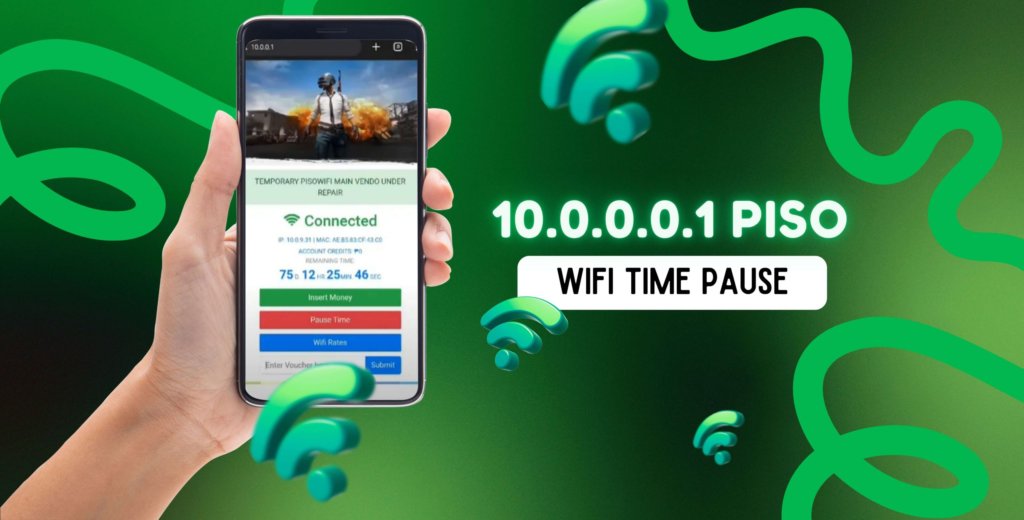
Many searches involving 1.0.0.0.1 are connected to router settings and Piso WiFi management systems. In countries where Piso WiFi vending systems are popular, users frequently access local portals through addresses like 10.0.0.1/admin. These pages allow administrators to manage pause time features, internet vouchers, user sessions, and WiFi controls. Because the address is entered manually in a browser, typing errors are extremely common.
Users unfamiliar with networking often assume that any number pattern separated by dots must be a legitimate IP address. When the invalid address fails to load, they search online hoping to find instructions or troubleshooting solutions. This explains why terms like “1.0.0.0.1 Piso WiFi,” “1.0.0.0.1 login,” and “1.0.0.0.1 admin page” continue appearing in search engine analytics. In almost every case, the solution is simply correcting the address format and entering the intended IP properly.
Understanding Invalid IP Address Errors
When users enter 1.0.0.0.1 into a browser or networking device, the system immediately detects that the address format is invalid. Browsers rely on networking standards to locate destinations across the internet. If the entered address does not match IPv4 requirements, the request cannot be processed. This results in messages such as “invalid IP address,” “site cannot be reached,” or “server not found.”
Invalid IP configuration problems also occur in real networking environments. Sometimes routers, DHCP servers, or faulty software assign unusual or broken addresses to connected devices. Online communities frequently discuss cases where devices receive incorrect IP ranges and lose internet connectivity. Troubleshooting these issues often involves resetting network settings, restarting routers, or correcting DHCP assignments. Understanding valid address structures helps users recognize whether a problem is caused by hardware, configuration errors, or simple typing mistakes.
Reserved and Special IP Addresses
Not every IP address on the internet is used for public communication. Some addresses are reserved for technical purposes, testing, local communication, or system defaults. One well-known example is 0.0.0.0, which often represents an unspecified or unavailable address in networking systems. Another example is 127.0.0.1, commonly called localhost, which allows a computer to communicate with itself for testing and development purposes.
Reserved addresses can confuse beginners because they sometimes appear in error logs, software settings, or command-line outputs. However, reserved addresses still follow valid IPv4 formatting rules with exactly four octets. This is what separates them from addresses like 1.0.0.0.1, which are invalid because they break the required structure entirely. Learning the difference between reserved addresses and malformed addresses helps users understand networking more clearly and avoid common misconceptions.
The Role of DNS and Public IP Services
DNS, or Domain Name System, acts like the phonebook of the internet. Instead of remembering complex numerical IP addresses for every website, users type domain names such as google.com or youtube.com. DNS servers then translate those names into IP addresses that computers understand. Services like Cloudflare DNS and Google DNS have become popular because they offer faster response times, improved privacy, and reliable internet performance.
Because public DNS services often use memorable addresses like 1.1.1.1 and 1.0.0.1, many users become familiar with these number patterns. Unfortunately, this familiarity also increases typing errors. An extra zero or misplaced dot transforms a valid address into an invalid one. Since browsers cannot automatically correct malformed IP structures, users frequently encounter failed connections and confusing error messages. Understanding DNS basics makes it easier to recognize the difference between real resolver addresses and accidental formatting mistakes.
Why IP Address Formatting Matters
Internet communication depends entirely on accurate addressing. Routers, switches, servers, and operating systems all rely on IP formatting rules to send and receive data correctly. Even a tiny mistake in an IP address can completely prevent communication between devices. This is why networking standards are so strict about the number of octets and the acceptable range of values within each section.
Formatting accuracy becomes even more important in professional networking environments. Businesses, data centers, internet service providers, and cybersecurity systems depend on correct IP configuration for stable operations. Incorrect addresses can create outages, security vulnerabilities, or communication failures across entire networks. Although 1.0.0.0.1 may appear harmless as a simple typo, it demonstrates how sensitive internet systems are to formatting precision. One extra digit can stop a network request entirely.
Networking Confusion in Everyday Internet Use
Modern internet users interact with IP addresses more often than they realize. Router setup pages, gaming servers, VPN applications, smart home devices, and WiFi systems frequently require manual IP configuration. Many beginners encounter networking terms without fully understanding how addressing works, leading to confusion around strange-looking numbers such as 1.0.0.0.1.
Online forums and technical communities regularly discuss invalid IP addresses because they are common sources of troubleshooting problems. Users often assume that browser failures indicate internet outages or hacking attempts when the real issue is simply a mistyped address. As networking becomes increasingly important in homes, offices, and smart devices, understanding basic IP concepts becomes more valuable for everyday digital literacy.
Security and Privacy Considerations
IP addresses are closely connected to cybersecurity and online privacy. Every internet-connected device uses an address to communicate, which means IP information can sometimes reveal geographic location, network identity, or internet service provider details. Cybersecurity professionals monitor IP activity to detect suspicious behavior, spam networks, malicious traffic, and unauthorized access attempts.
At the same time, many users now use VPNs, encrypted DNS services, and privacy-focused tools to protect their online identity. Public awareness about internet tracking has increased significantly in recent years, leading more people to research networking concepts and DNS services. Searches involving unusual addresses like 1.0.0.0.1 often begin with simple curiosity but eventually lead users toward broader learning about internet security, IP routing, and online privacy systems.
Conclusion
1.0.0.0.1 is not a real or usable IPv4 address because it contains five numerical sections instead of the standard four required in IPv4 networking. Most searches involving this address come from typing mistakes, confusion with 1.0.0.1 DNS services, or attempts to access router login pages such as 10.0.0.1. Although the address itself is invalid, the widespread curiosity surrounding it highlights how important networking knowledge has become in modern internet use.
Understanding how IP addresses work helps users troubleshoot internet problems, configure routers correctly, and recognize invalid address formats before they create connectivity issues. The internet depends on precise communication standards, and even a small formatting error can prevent devices from connecting successfully. By learning the basics of IPv4 structure, DNS systems, reserved addresses, and networking rules, users can navigate digital technology with greater confidence and avoid common mistakes related to invalid IP addresses like 1.0.0.0.1.
